
RESOURCES
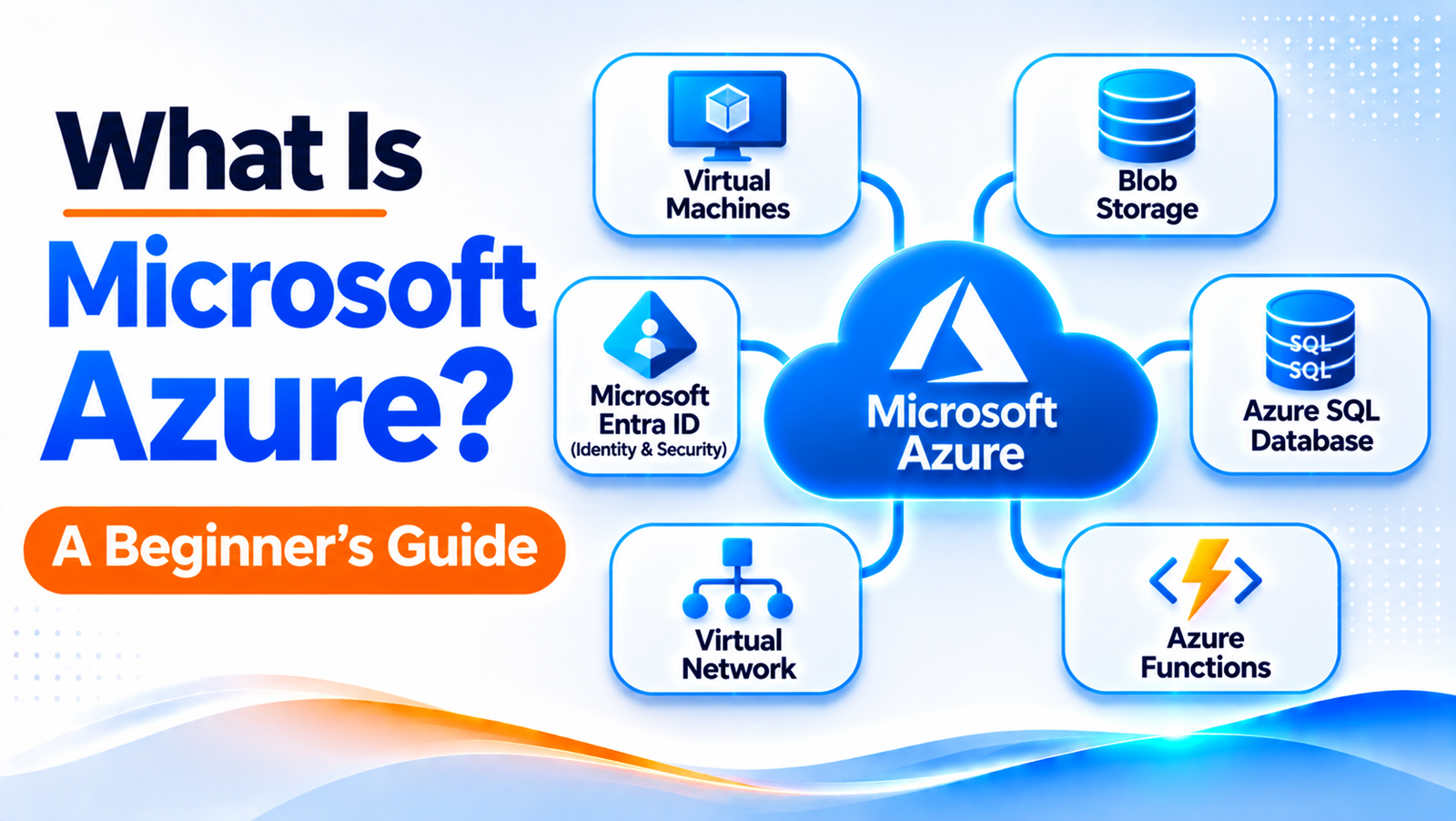
What Is Microsoft Azure? A Beginner's Guide to Cloud Services
Learn what Microsoft Azure is, how it works, and which cloud services matter most. Explore Azure Virtual Machines, Blob Storage, networking, security, and real-world examples.
Vyomanant Academy
Build these skills hands-on
Explore structured, practical technology programs from Vyomanant Academy.
Explore CoursesOn this page
What Is Microsoft Azure? A Beginner's Guide
Introduction
Imagine you are building an online appointment-booking application.
Your application needs a website, a database to store appointments, a secure way for users to sign in, and somewhere to store uploaded documents.
You also want the application to remain available as more people start using it.
One approach is to purchase servers, install the necessary software, configure networking, and maintain the equipment yourself.
Another approach is to use cloud services.
Microsoft Azure is a cloud computing platform that provides the infrastructure and services needed to build, run, and manage applications without owning the underlying physical servers.
But what exactly is Azure? Which services does it provide? And how can beginners start learning it?
This guide explains Microsoft Azure through simple examples, introduces its core services, and shows how they work together.
What Will You Learn?
- Microsoft Azure: What it is and why organizations use it.
- Cloud Infrastructure: How Azure Regions and Availability Zones work.
- Compute Services: Azure Virtual Machines, App Service, and Azure Functions.
- Storage: How Azure Blob Storage stores files and application data.
- Databases: How Azure SQL Database supports applications.
- Networking: Virtual Networks, subnets, and traffic management.
- Identity and Security: Microsoft Entra ID and Azure role-based access control.
- Monitoring: How Azure Monitor helps track application health.
- Practical Architecture: How different Azure services work together.
- Getting Started: A beginner-friendly learning path and safe first exercise.
1. What Is Microsoft Azure?
Microsoft Azure is Microsoft's cloud computing platform.
It provides services for computing, storage, databases, networking, security, analytics, artificial intelligence, and application development.
Instead of purchasing and maintaining every physical server, organizations can provision cloud resources through Azure.
Azure in Simple Words
Microsoft Azure is a cloud platform that lets you build, host, store, secure, and manage applications using infrastructure and services provided by Microsoft.
For example, a company can use Azure to:
- Host Websites: Run customer-facing applications.
- Create Virtual Servers: Run software on cloud-based virtual machines.
- Store Files: Keep images, documents, and backups in cloud storage.
- Manage Databases: Store structured application information.
- Run Automated Tasks: Execute code in response to events.
- Connect Networks: Establish secure communication between cloud resources.
- Monitor Systems: Track performance, availability, and errors.
Is Azure Only for Microsoft Applications?
No.
Although Azure integrates closely with Microsoft technologies, it also supports many other platforms and tools.
For example, organizations can run:
- Linux and Windows workloads.
- Python, Java, JavaScript, and .NET applications.
- PostgreSQL and other supported databases.
- Docker containers.
- Kubernetes workloads.
Key Point: Azure is not a single product. It is a broad collection of cloud services that can be combined to build technology solutions.
2. Understanding Azure with a Real-Life Analogy
Imagine you want to organize a large conference.
You could construct a building, install electricity, purchase furniture, create a security system, and maintain the entire facility.
That would require considerable time and investment.
Alternatively, you could rent a professionally managed conference venue.
The venue already provides essential infrastructure, and you choose the facilities and services your event needs.
Azure works in a somewhat similar way.
Traditional IT vs Azure
| Traditional IT Infrastructure | Microsoft Azure |
|---|---|
| Purchase physical servers | Provision cloud computing resources |
| Install storage hardware | Use managed cloud storage |
| Configure physical networks | Create virtual networks |
| Maintain database infrastructure | Use managed database services |
| Expand by purchasing equipment | Adjust resources through cloud provisioning |
| Manage physical facilities | Microsoft operates underlying cloud infrastructure |
Example
Suppose your appointment-booking application becomes popular.
With traditional infrastructure, you may need to purchase additional hardware.
With a suitably designed Azure application, you can increase computing resources or application instances without installing physical servers yourself.
Where the Analogy Ends
Azure is more than a rented facility.
Different Azure services provide different levels of control and management.
For example, an Azure Virtual Machine gives you substantial operating-system control, while Azure App Service handles more of the underlying application-hosting infrastructure.
Remember: Cloud computing reduces certain infrastructure responsibilities, but you still need to design, secure, monitor, and manage your applications.
3. How Does Microsoft Azure Work?
Azure operates infrastructure in geographic locations around the world.
Customers create and manage resources through several interfaces.
Common Ways to Use Azure
- Azure Portal: A web-based interface for creating and managing resources.
- Azure CLI: A command-line tool for interacting with Azure.
- Azure PowerShell: PowerShell commands for Azure administration.
- Azure SDKs: Programming libraries for working with Azure services.
- Infrastructure as Code: Tools such as Bicep and Terraform for defining infrastructure through configuration.
Example: Hosting a Website
Imagine you want to publish a small website.
You could:
- Create an Azure account and subscription.
- Choose an Azure Region.
- Create an Azure App Service application.
- Deploy your website code.
- Configure the application settings.
- Connect a domain name if needed.
- Monitor performance and usage.
Azure provides the hosting platform, while you manage your application and relevant configuration.
Key Point: Azure resources are provisioned through software interfaces rather than by manually installing physical equipment.
4. Azure Global Infrastructure: Regions and Availability Zones
Azure organizes its infrastructure geographically.
Understanding this structure helps you make decisions about application performance, availability, and data location.
What Is an Azure Region?
An Azure Region is a geographic area containing Azure infrastructure where services can be deployed.
Organizations choose Regions based on factors such as:
- User Location: Reduce network latency for users.
- Service Availability: Check whether required services are supported.
- Data Residency: Meet applicable requirements for data location.
- Cost: Service prices may differ by Region.
- Resilience: Design for infrastructure failures.
What Is an Availability Zone?
An Availability Zone is a physically separate infrastructure location within a supported Azure Region.
Availability Zones have independent power, cooling, and networking infrastructure.
They help organizations design applications that can tolerate certain infrastructure failures.
Simple Architecture
                Azure Region
                     |
         +-----------+-----------+
         |           |           |
         v           v           v
       Zone 1      Zone 2      Zone 3
         |           |           |
      Workloads   Workloads   Workloads
Not every Azure Region or service supports Availability Zones in the same way.
Why Do Availability Zones Matter?
Imagine an application runs on one virtual machine.
If the infrastructure hosting that virtual machine becomes unavailable, the application may stop.
Using appropriately configured resources across multiple Availability Zones can improve resilience.
However, simply selecting Azure does not automatically make an application highly available.
Remember: Regions determine where resources are deployed, while Availability Zones help provide infrastructure separation within supported Regions.
5. Azure Virtual Machines: Cloud-Based Computers
Azure Virtual Machines (VMs) provide virtualized computing resources.
An Azure VM behaves much like a computer or server, but it runs on cloud infrastructure.
What Can You Run on an Azure VM?
Examples include:
- Websites.
- Backend applications.
- Development tools.
- Business software.
- Custom server applications.
- Supported Windows or Linux operating systems.
Example: Running a Web Server
Suppose your company has an application that requires a specific Linux environment.
You can create an Azure VM, install the necessary software, and run the application.
Important Azure VM Concepts
- VM Size: Determines the available CPU, memory, and other computing characteristics.
- Operating System Image: Provides the starting operating system and software environment.
- Managed Disks: Provide persistent block storage for VMs.
- Network Interface: Connects the VM to an Azure virtual network.
- Network Security Group: Controls permitted network traffic.
- Availability Options: Help distribute workloads for resilience.
What Are You Responsible For?
With a typical Azure VM, you manage:
- Guest operating-system updates.
- Installed software.
- Application configuration.
- Appropriate access controls.
- Data protection and backup configuration.
Microsoft manages the underlying physical infrastructure and virtualization platform.
Key Point: Azure VMs are useful when you need operating-system-level control over an application environment.
6. Azure App Service: Hosting Web Applications
Azure App Service is a managed platform for hosting web applications and APIs.
It reduces the need to administer the underlying web-hosting servers.
Example: An Appointment-Booking Website
Imagine you have developed a web application using Python or .NET.
Instead of creating a VM and manually configuring a web server, you can deploy the application to Azure App Service.
Azure handles many platform-level hosting tasks.
What Does App Service Provide?
Depending on the selected plan and configuration, App Service supports capabilities such as:
- Managed application hosting.
- HTTPS endpoints.
- Application scaling.
- Deployment integration.
- Custom domains.
- Application configuration.
- Monitoring integration.
Azure VM vs App Service
| Azure Virtual Machines | Azure App Service |
|---|---|
| Provides virtual servers | Provides managed application hosting |
| Greater operating-system control | Less server administration |
| You manage more infrastructure settings | Azure manages more hosting infrastructure |
| Suitable for custom server workloads | Suitable for supported websites and APIs |
Which Should Beginners Use?
For a basic supported web application, App Service may be easier to manage.
If you need full operating-system control, a VM may be more appropriate.
Remember: The best choice depends on the application's requirements, not simply which service is more advanced.
7. Azure Blob Storage: Storing Files in the Cloud
Azure Blob Storage is Microsoft's cloud object storage service for storing large amounts of unstructured data.
Unstructured data includes items such as:
- Images.
- Videos.
- PDF documents.
- Backups.
- Application logs.
- Other files.
What Is a Blob?
A blob is an object containing data stored in Azure Blob Storage.
Blobs are organized into containers within an Azure storage account.
Example: Appointment Documents
Imagine patients or customers upload supporting documents when booking appointments.
The application can store those files in Blob Storage.
       Booking Application
                |
                v
        Azure Blob Storage
                |
        +-------+-------+
        |       |       |
        v       v       v
       PDFs   Images  Documents
Important Storage Concepts
- Storage Account: Provides a namespace and configuration for Azure storage services.
- Container: Organizes blobs.
- Blob: An individual stored object.
- Access Tier: Helps manage storage costs according to access patterns.
- Redundancy: Defines how data is replicated under the selected storage configuration.
- Access Control: Determines how clients can access stored data.
Is Blob Storage a Hard Drive?
No.
Blob Storage is object storage accessed through supported APIs and tools.
For persistent disks attached to VMs, Azure Managed Disks are generally more appropriate.
Key Point: Azure Blob Storage is useful for files and other object data that applications need to store and retrieve.
8. Azure SQL Database: Managed Relational Data
Azure SQL Database is a managed relational database service based on Microsoft SQL Server technology.
It allows applications to store and query structured data without customers managing every underlying database-server component.
Example: Appointment Records
An appointment-booking platform might need tables for:
- Customers.
- Service providers.
- Appointment schedules.
- Booking records.
- Notifications.
Azure SQL Database can store and manage this structured information.
What Does Azure Manage?
Azure SQL Database provides managed capabilities such as:
- Database infrastructure management.
- Automated backups.
- Selected patching and maintenance activities.
- Monitoring integration.
- Configurable performance and availability options.
What Does the Customer Manage?
Customers still need to design and maintain:
- Database tables and relationships.
- Application queries.
- Data access permissions.
- Appropriate security settings.
- Data retention and recovery requirements.
Is Azure SQL Database the Only Database Option?
No.
Azure offers several database services for different requirements, including:
- Azure Database for PostgreSQL: Managed PostgreSQL database hosting.
- Azure Cosmos DB: Distributed database services for supported NoSQL and other data models.
- Azure SQL Managed Instance: A managed SQL Server-compatible option for workloads needing additional instance-level capabilities.
Remember: Choose a database based on your data model, application requirements, and operational needs.
9. Azure Functions: Serverless Computing
Azure Functions is an event-driven serverless compute service.
It lets you run code in response to supported events without managing a traditional server for each function.
What Does Serverless Mean?
Serverless does not mean that servers disappear.
It means the cloud provider handles much of the underlying execution infrastructure.
Example: Appointment Confirmation
Imagine a customer books an appointment.
The application records the booking.
An event can trigger an Azure Function to process a confirmation task.
        Customer Books Appointment
                    |
                    v
             Booking Application
                    |
                    v
               Event Trigger
                    |
                    v
              Azure Function
                    |
                    v
          Confirmation Processing
The function might prepare a notification and send it through a suitable email or messaging service.
Common Azure Functions Uses
- Event Processing: Responding to system events.
- Scheduled Jobs: Running tasks at configured times.
- File Processing: Processing uploaded files.
- Automation: Performing repetitive operations.
- Lightweight APIs: Handling certain HTTP requests.
When Might Functions Be Unsuitable?
Some workloads require specialized execution environments, long-running processes, or predictable dedicated resources.
Functions also have hosting-plan-specific limits and pricing considerations.
Key Point: Azure Functions is useful for event-driven code that does not require you to manage a continuously running application server.
10. Azure Virtual Network: Cloud Networking Basics
Azure Virtual Network (VNet) provides a private networking foundation for Azure resources.
It helps you control how supported cloud resources communicate.
Important Networking Concepts
- Virtual Network: A logical network in Azure.
- Subnet: A range of IP addresses within a VNet.
- Network Security Group (NSG): Filters network traffic using configured rules.
- Route Table: Defines custom traffic routes where needed.
- Public IP Address: Supports public network connectivity for applicable resources.
- Private Endpoint: Provides private network access to supported Azure services.
- VPN Gateway: Connects supported networks using encrypted VPN connections.
Example: Web Application and Database
Imagine an application needs a public-facing website and a database that should not be directly exposed to the internet.
A simplified network design might look like:
                 Internet
                    |
                    v
             Web Application
                    |
                    v
            Azure Virtual Network
                    |
             Private Connectivity
                    |
                    v
                 Database
Actual connectivity depends on the services selected and their networking features.
Why Is Networking Important?
Correct network configuration helps:
- Restrict unwanted connections.
- Organize application components.
- Connect cloud and on-premises systems.
- Control traffic paths.
- Support private service access.
Remember: Creating a VNet alone does not make an application secure. Access controls, routing, encryption, and application security must also be configured correctly.
11. Microsoft Entra ID and Azure RBAC: Identity and Permissions
Cloud security begins with controlling who can access resources.
Azure uses identity and authorization services for this purpose.
What Is Microsoft Entra ID?
Microsoft Entra ID, formerly known as Azure Active Directory, is Microsoft's cloud identity and access management service.
It supports capabilities such as:
- User authentication.
- Single sign-on.
- Multifactor authentication.
- Application identities.
- Identity-based access controls.
What Is Azure RBAC?
Azure role-based access control (Azure RBAC) helps manage who can perform actions on Azure resources.
It assigns roles to users, groups, service principals, or managed identities at appropriate scopes.
Example
Imagine a cloud team with three responsibilities:
- Developer: Needs to view application resources and logs.
- Cloud Administrator: Needs to manage selected infrastructure.
- Finance Team Member: Needs access to billing information.
Azure RBAC can help assign permissions according to each responsibility.
What Is Least Privilege?
The principle of least privilege means granting only the permissions necessary to perform a task.
Someone who only needs to view a resource should not automatically receive permission to delete it.
Important Distinction
Microsoft Entra ID helps establish and manage identities.
Azure RBAC controls authorization to Azure resources.
They work together but serve different purposes.
Key Point: Identity and permissions are foundational to Azure security.
12. Azure Resource Groups and Subscriptions
Azure organizes resources using a management hierarchy.
Understanding this structure helps beginners avoid confusion in the Azure Portal.
Azure Subscription
A subscription is a management and billing boundary for Azure resources.
A subscription is associated with an Azure billing arrangement and a Microsoft Entra tenant.
Resource Group
A resource group is a logical container for related Azure resources.
For example, an appointment-booking application might have a resource group containing:
- An App Service application.
- A storage account.
- A database.
- Monitoring resources.
Simplified Hierarchy
          Microsoft Entra Tenant
                    |
               Subscription
                    |
               Resource Group
                    |
        +-----------+-----------+
        |           |           |
        v           v           v
     App Service  Storage    Database
This diagram omits optional management groups and other details.
Why Are Resource Groups Useful?
Resource groups help organize resources for:
- Management.
- Access control.
- Deployment.
- Cost analysis.
- Lifecycle operations.
Important Warning
Deleting a resource group generally deletes the resources it contains.
Always review the contents before deleting a resource group.
Remember: A resource group organizes resources, while a subscription provides an important management and billing boundary.
13. Other Important Azure Services
Azure offers many services beyond the core examples covered above.
Here are several worth recognizing.
| Azure Service | Main Purpose | Example |
|---|---|---|
| Azure Load Balancer | Distributes supported network traffic | Balances traffic between virtual machines |
| Azure Application Gateway | Application-layer traffic management | Routes HTTP and HTTPS requests |
| Azure Front Door | Global application delivery and routing | Improves delivery of a worldwide website |
| Azure DNS | Hosts DNS zones and records | Manages domain records |
| Azure Monitor | Collects and analyzes telemetry | Monitors application performance |
| Azure Key Vault | Protects secrets, keys, and certificates | Stores application credentials securely |
| Azure Container Apps | Runs containerized applications on a managed platform | Hosts a container-based API |
| Azure Kubernetes Service (AKS) | Managed Kubernetes service | Orchestrates containerized applications |
| Azure Backup | Provides backup management capabilities | Protects supported workloads |
| Azure Bicep | Defines Azure infrastructure as code | Deploys repeatable environments |
Do You Need to Learn Every Azure Service?
No.
Begin with the services that explain the main building blocks of cloud applications:
- Compute.
- Storage.
- Databases.
- Networking.
- Identity and security.
- Monitoring.
Then explore specialized services based on your goals.
14. How Azure Services Work Together: A Practical Example
Let's return to our appointment-booking application.
The application needs:
- A website for customers.
- A database for appointments.
- File storage for uploaded documents.
- Automated confirmation processing.
- Monitoring.
- Identity and access controls.
Simplified Azure Architecture
               Customer Browser
                      |
                      v
                Azure App Service
                      |
          +-----------+-----------+
          |           |           |
          v           v           v
      Azure SQL     Blob       Azure Functions
      Database     Storage     (Event Processing)
          |
          v
     Appointment Data

       Azure Monitor
       Application Monitoring

       Microsoft Entra ID / Azure RBAC
       Identity and Resource Permissions
This is a conceptual diagram. Real deployments require appropriate event triggers, service identities, networking, and access controls.
Step 1: Customer Opens the Website
The customer accesses the application hosted on Azure App Service.
Step 2: Customer Selects an Appointment
The application retrieves available appointment information from Azure SQL Database.
Step 3: Customer Submits the Booking
The application stores the appointment record in the database.
Step 4: Customer Uploads a Document
The application stores the document in Azure Blob Storage.
Step 5: Confirmation Processing Begins
A configured event or message triggers an Azure Function to process the booking confirmation.
Step 6: The Team Monitors the Application
Azure Monitor helps collect relevant metrics, logs, and diagnostic information.
Step 7: Access Is Controlled
Microsoft Entra ID and Azure RBAC help manage administrative identities and permissions.
Application users may use a separate customer authentication solution, depending on the architecture.
What Happens When Demand Increases?
The team can configure suitable scaling options for the application hosting service.
However, application performance also depends on database capacity, network behavior, code efficiency, and other components.
Key Point: Azure services become most useful when combined into a well-designed application architecture.
15. Azure Pricing: How Much Does It Cost?
Azure pricing depends on the services, configurations, and resources you use.
Common billing factors include:
- Compute: Virtual machine runtime or provisioned computing capacity.
- Storage: Amount and type of data stored.
- Requests: Certain service operations or executions.
- Networking: Applicable data transfer and networking resources.
- Database Capacity: Selected database compute and storage options.
- Additional Features: Backups, monitoring, and other capabilities.
Example
Suppose you create an Azure Virtual Machine.
You may be charged for:
- VM computing capacity.
- Managed disks.
- Certain network usage.
- Associated services.
Stopping a VM from inside its operating system does not necessarily stop compute billing. To stop applicable compute charges, the VM generally needs to be deallocated, and other resources may still incur charges.
Is Azure Free for Beginners?
Azure offers free-account programs, credits, and eligible free services under specified conditions.
These programs can change, and not every service or configuration is free.
Always review the current terms before provisioning resources.
How to Avoid Unexpected Costs
- Set a Budget: Configure cost budgets and alerts.
- Use Small Resources: Select suitable low-cost configurations.
- Review Pricing: Check service pricing before creating resources.
- Monitor Usage: Use Azure Cost Management.
- Remove Unused Resources: Delete learning resources when finished.
- Check Dependencies: Storage, public IPs, and other associated resources may continue to incur charges.
Important: Cost alerts do not automatically guarantee that Azure resources will stop running when a budget is exceeded.
16. Understanding Azure's Shared Responsibility Model
Cloud security responsibilities are divided between Microsoft and the customer.
The exact division depends on the type of service.
Microsoft's Responsibilities
Microsoft manages the security of the underlying cloud infrastructure, including relevant:
- Physical facilities.
- Hardware.
- Core networking infrastructure.
- Virtualization infrastructure.
- Managed platform components.
Customer Responsibilities
Customers remain responsible for areas such as:
- Data protection.
- User access and permissions.
- Application security.
- Secure configuration.
- Compliance requirements.
- Relevant operating-system maintenance.
- Backup and recovery planning.
Example: Virtual Machines vs App Service
With Azure VMs, customers manage more of the guest operating system and software environment.
With App Service, Microsoft manages more of the underlying hosting platform.
In both cases, customers remain responsible for their application code, data, and appropriate access controls.
Remember: Moving to the cloud does not transfer every security responsibility to the cloud provider.
17. Azure vs AWS: Understanding the Difference
Microsoft Azure and Amazon Web Services (AWS) are both major cloud computing platforms.
They provide many similar categories of services, although their implementations and features differ.
Common Service Comparisons
| Service Category | Microsoft Azure | AWS |
|---|---|---|
| Virtual Servers | Azure Virtual Machines | Amazon EC2 |
| Object Storage | Azure Blob Storage | Amazon S3 |
| Managed Relational Database | Azure SQL Database | Amazon RDS |
| Serverless Functions | Azure Functions | AWS Lambda |
| Virtual Networking | Azure Virtual Network | Amazon VPC |
| Managed Kubernetes | Azure Kubernetes Service (AKS) | Amazon EKS |
| Monitoring | Azure Monitor | Amazon CloudWatch |
| Infrastructure as Code | Azure Bicep / ARM Templates | AWS CloudFormation |
These are approximate functional comparisons, not exact one-to-one equivalents.
Which Is Better: Azure or AWS?
There is no universal winner.
The right platform depends on:
- Existing technology investments.
- Application requirements.
- Team experience.
- Security and compliance needs.
- Geographic service availability.
- Pricing and support requirements.
Should Beginners Learn Both?
It is usually easier to understand one cloud platform first.
Once you understand computing, storage, networking, databases, and identity, many of those concepts transfer to other cloud platforms.
Key Point: Learn cloud concepts before trying to memorize every provider-specific service name.
18. Where Is Microsoft Azure Used?
Azure supports a wide range of industries and technology workloads.
1. Enterprise Applications
Organizations use Azure to host internal business applications and customer-facing systems.
Example: A company hosts an employee scheduling application on Azure.
2. Website and API Hosting
Developers use Azure App Service, VMs, and other services to host applications.
Example: A booking platform runs its website and API in Azure.
3. Data Storage and Backup
Organizations use Azure storage services for documents, backups, and archives.
Example: A media company stores large collections of digital assets.
4. Data Analytics
Azure provides services for processing and analyzing information.
Example: A logistics company analyzes shipment records to identify delivery delays.
5. Artificial Intelligence
Azure offers infrastructure and managed services for AI workloads.
Example: A support platform uses an AI model to categorize incoming requests.
6. DevOps and Automation
Teams use Azure infrastructure with version control, CI/CD pipelines, and Infrastructure as Code.
Example: A pipeline builds an application and deploys it to Azure App Service.
7. Hybrid Cloud
Organizations combine Azure services with on-premises infrastructure.
Example: A business connects its existing data center network to Azure through a secure network connection.
19. Benefits of Microsoft Azure
1. Flexible Infrastructure
Organizations can provision many computing resources without purchasing physical servers.
2. Managed Application Services
Services such as App Service and Azure SQL Database reduce selected administration tasks.
3. Global Infrastructure
Applications can be deployed in different Azure Regions.
4. Microsoft Ecosystem Integration
Azure integrates with technologies such as Windows Server, Microsoft Entra ID, and other Microsoft enterprise services.
5. Support for Open Technologies
Azure supports Linux, containers, Kubernetes, and many programming languages.
6. Automation
Azure CLI, Bicep, APIs, and other tools support repeatable infrastructure management.
7. Scalability
Many Azure services offer scaling options to support changing demand.
Important: These benefits depend on selecting and configuring services appropriately.
20. Challenges and Limitations of Azure
1. Cloud Costs
Poorly managed resources can create unexpected spending.
2. Complex Service Selection
Azure provides many services, and choosing the right one can be difficult for beginners.
3. Security Configuration
Incorrect permissions, exposed resources, or weak application security can create risks.
4. Networking Complexity
Private connectivity, routing, DNS, and hybrid networking may require advanced knowledge.
5. Vendor Dependencies
Applications built around Azure-specific services may require additional effort to migrate to another platform.
6. Service Availability
Not every Azure service or feature is available in every Region.
7. Operational Responsibility
Applications still require monitoring, maintenance, testing, and recovery planning.
Key Point: Azure simplifies access to infrastructure but does not eliminate the need for cloud engineering skills.
21. Your First Azure Exercise: Explore Blob Storage
Let's complete a simple learning exercise.
The goal is to create a private storage container, upload a file, and remove the resources afterward.
Before You Begin
You need:
- An Azure account and active subscription.
- Permission to create resources.
- Access to the Azure Portal.
- An understanding that some operations may incur charges.
Step 1: Secure Your Account
Before creating resources:
- Enable multifactor authentication where applicable.
- Review account permissions.
- Avoid unnecessary privileged access.
- Configure cost monitoring.
Step 2: Create a Resource Group
In the Azure Portal:
- Search for Resource groups.
- Select Create.
- Choose your subscription.
- Enter a name such as
rg-azure-learning. - Choose a suitable Region for the resource group's metadata.
- Review and create the resource group.
Step 3: Create a Storage Account
Search for Storage accounts and select Create.
Choose:
- Your subscription.
- The learning resource group.
- A globally unique storage account name.
- An appropriate Region.
- Suitable redundancy and other settings.
Review pricing and security settings before creating the account.
Step 4: Create a Blob Container
Open the storage account.
Under the data storage section, locate Containers.
Create a container named:
learning-files
Keep anonymous public access disabled.
Step 5: Upload a Test File
Create a small text file on your computer:
Hello from Microsoft Azure!
Upload it to the container.
Depending on your account's permissions and storage configuration, you may need appropriate Azure data-plane access.
Step 6: View and Download the File
Inspect the uploaded blob and download it.
Confirm that its contents match the original file.
Step 7: Clean Up
When finished:
- Delete the test blob if desired.
- Review the resources in your learning resource group.
- Delete the resource group if it contains only resources created for this exercise.
- Confirm that the resources have been removed.
Step 8: Review Costs
Check Azure Cost Management and billing information.
Remember that billing data may not appear immediately.
What Did You Learn?
You practiced:
- Navigating the Azure Portal.
- Creating a resource group.
- Creating a storage account.
- Working with Blob Storage.
- Understanding resource permissions.
- Cleaning up cloud resources.
Beginner Tip: Use dedicated learning resource groups so that practice resources are easier to identify and remove.
22. How Can Beginners Start Learning Azure?
A structured learning path makes Azure easier to understand.
Step 1: Learn Cloud Computing Fundamentals
Understand:
- IaaS, PaaS, and SaaS.
- Public and hybrid cloud.
- Scalability.
- Availability.
- Shared responsibility.
Step 2: Learn Basic IT Networking
Focus on:
- IP addresses.
- DNS.
- Subnets.
- Routing.
- Firewalls.
- HTTP and HTTPS.
Step 3: Understand Azure Infrastructure
Learn:
- Regions.
- Availability Zones.
- Subscriptions.
- Resource groups.
Step 4: Learn Identity and Security
Explore:
- Microsoft Entra ID.
- Azure RBAC.
- Multifactor authentication.
- Least privilege.
Step 5: Practice Core Services
Start with:
- Azure Virtual Machines.
- Azure App Service.
- Azure Blob Storage.
- Azure SQL Database.
- Azure Virtual Network.
Step 6: Learn Monitoring and Cost Management
Explore Azure Monitor, Azure Cost Management, and resource alerts.
Step 7: Explore Serverless and Containers
Learn:
- Azure Functions.
- Azure Container Apps.
- Azure Kubernetes Service.
Step 8: Learn Infrastructure as Code
Explore Azure Bicep or Terraform.
Step 9: Build Small Projects
Examples include:
- A website hosted on App Service.
- A file-storage application using Blob Storage.
- An event-driven function.
- A small database-backed application.
Step 10: Explore Azure Certifications
After developing foundational knowledge, consider the learning objectives for Microsoft Certified: Azure Fundamentals (AZ-900).
Certification is optional. Practical understanding and hands-on skills remain valuable regardless of certification.
Beginner Tip: Start with one simple application and gradually add storage, databases, security, and monitoring.
23. Frequently Asked Questions (FAQs)
Q1. What is Microsoft Azure in simple words?
Microsoft Azure is a cloud computing platform that provides services for hosting applications, storing data, managing databases, networking, security, and other technology needs.
Q2. Is Azure the same as Microsoft 365?
No.
Azure is primarily a cloud computing platform for infrastructure, applications, and technology services.
Microsoft 365 is a collection of productivity and collaboration services.
They can integrate, but they are different offerings.
Q3. Is Microsoft Azure free?
Azure offers free-account programs and eligible free services under certain conditions.
Usage beyond applicable offers or limits can incur charges.
Q4. What is Azure Virtual Machines?
Azure Virtual Machines is a service that provides virtual computers and servers running in Microsoft's cloud infrastructure.
Q5. What is Azure Blob Storage?
Azure Blob Storage is an object storage service used for files, images, documents, backups, and other unstructured data.
Q6. What is the difference between Azure VMs and App Service?
Azure VMs provide greater operating-system control.
Azure App Service provides managed hosting for supported web applications and APIs.
Q7. What is Microsoft Entra ID?
Microsoft Entra ID is a cloud identity and access management service used for authentication, single sign-on, and other identity capabilities.
Q8. Is Azure used for DevOps?
Yes. Azure supports application hosting, automation, container platforms, monitoring, and Infrastructure as Code workflows.
Q9. Do beginners need programming knowledge to learn Azure?
No advanced programming knowledge is required to begin.
However, scripting and programming are useful for automation and application development.
Q10. Which is easier to learn: Azure or AWS?
Both platforms have beginner-friendly learning resources and complex advanced features.
The easier starting point depends on your existing knowledge, goals, and familiarity with the surrounding technologies.
24. Key Takeaways
- Microsoft Azure is Microsoft's cloud computing platform.
- Azure Regions and Availability Zones organize cloud infrastructure geographically.
- Azure Virtual Machines provide cloud-based virtual servers.
- Azure App Service offers managed hosting for web applications.
- Azure Blob Storage provides object storage.
- Azure SQL Database supports managed relational databases.
- Azure Functions runs event-driven code using serverless computing.
- Azure Virtual Network provides cloud networking capabilities.
- Microsoft Entra ID and Azure RBAC help manage identities and resource permissions.
- Subscriptions and resource groups organize cloud resources.
- Azure Monitor supports application and infrastructure monitoring.
- Beginners should focus on core services, security, cost awareness, and small practical projects.
25. What Should You Learn Next?
Continue your cloud computing journey with these related resources:
-
What Is Azure Virtual Machines? Cloud Servers Explained
- Understand how virtual machines work in Azure.
-
What Is Azure Blob Storage? Explained with Examples
- Learn how Azure stores files and objects.
-
What Is Azure Virtual Network? Networking Basics
- Explore subnets, routing, and network security.
-
What Is Microsoft Entra ID? Identity and Access Explained
- Understand authentication and identity management.
-
AWS vs Azure vs Google Cloud: A Beginner's Comparison
- Compare major cloud platforms and their core services.
Continue Learning with Vyomanant Academy
Microsoft Azure is an important technology for learners exploring cloud computing, system administration, cloud engineering, and DevOps.
Vyomanant Academy helps beginners and working professionals develop practical knowledge in areas such as:
- Cloud Computing Fundamentals.
- Microsoft Azure Core Services.
- Linux and Networking.
- Cloud Identity and Security.
- Docker and Kubernetes.
- CI/CD Automation.
- Infrastructure as Code.
Start with the fundamentals, practice in a controlled environment, and gradually build the skills needed to design and manage cloud solutions.
Learn. Build. Grow.
CONTINUE EXPLORING
Recommended next

What Is Artificial Intelligence? A Simple Beginner's Guide
Learn what Artificial Intelligence (AI) means, how it works, and where we use it in everyday life, with simple examples that anyone can understand.
View resource
What Is Machine Learning? A Simple Beginner's Guide
Discover what Machine Learning is, how computers learn from data, and how predictions work. Explore key ML concepts, learning types, and real-world examples in this beginner-friendly guide.
View resource
What Is Information Technology? A Beginner's Guide
Discover what Information Technology (IT) is, how it works, its main components, everyday applications, and how beginners can start learning IT.
View resource